
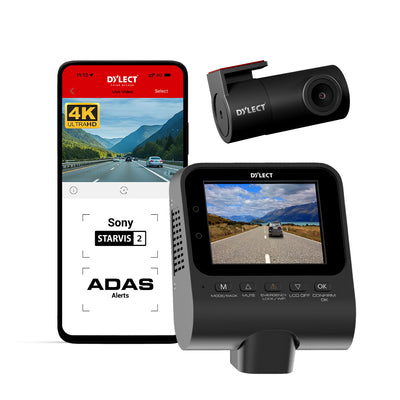

Most road incidents that matter — the sudden cut-off, the hit-and-run, the wrong-side biker — happen after dark, on roads with patchy streetlights and oncoming high beams. So the real test of a dashcam isn't how it looks on a bright afternoon; it's whether it can read a number plate at 10pm on a dim Indian highway. Here's an honest look at how dashcam night vision works, what to expect, and how to get footage that's actually usable in the dark.
What "night vision" on a dashcam really means
Dashcams don't have infrared night vision like a security camera pointed at a lit room — a car camera is looking at a fast-moving, high-contrast outdoor scene. "Night vision" here really means a combination of things working together: a good image sensor that gathers light well, high resolution (a 4K camera like the Sense 4K Ultra or Sense 4K Max has more detail to work with), and HDR/WDR processing that balances bright and dark areas in the same frame. Together, these let the camera pull a legible plate out of a scene that's part shadow, part glare.
The two hard problems on Indian night roads
Night footage has to fight two opposite enemies at once:
- Darkness — poorly lit roads, no streetlights on stretches, black gaps between pools of light.
- Glare — oncoming high beams, wet-road reflections, streetlight flare, and the classic Indian problem of blinding aftermarket headlights.
A cheap camera fails at one or both: it either crushes the shadows (losing everything in the dark) or blows out the highlights (a plate vanishing into headlight glare). This is exactly what HDR/WDR is designed to manage — pulling detail back into both the dark shadow and the bright glare in the same shot.
What good night footage looks like (realistic expectations)
Be realistic: no dashcam turns night into day. What a good one should do: read the number plate of the car ahead and behind under normal street lighting; handle oncoming headlights without the whole frame washing out; and keep enough detail to identify vehicle make, colour and lane position.
What even good cameras struggle with: a completely unlit rural road with a fast-moving vehicle and no ambient light at all, or a plate obscured by heavy rain and spray. Some grain/noise in very low light is normal and acceptable — a slightly noisy frame where you can read a plate beats a smooth, bright frame where glare erased it.
How to get the best night footage from your dashcam
The camera is only half the story — setup decides whether its night capability actually reaches you:
- Keep the windscreen and lens spotless. A filmy windscreen turns every oncoming headlight into a starburst. This is the single biggest fix — clean glass, inside and out.
- Fit a CPL filter. A CPL (polarising) filter cuts reflections off the windscreen and wet road — the dashboard reflection that ghosts across the glass at night, and the glare off wet tarmac. It sharpens night and rain footage dramatically.
- Turn HDR/WDR and night mode on. These are usually settings, not automatic — enable them so the camera balances the extreme night contrast.
- Moderate the exposure so oncoming headlights don't bloom into white stars that hide the vehicle behind them.
- Mount within the wiper sweep so rain doesn't blur the lens exactly when you need night footage most.
- Use a high-endurance memory card at the camera's best resolution — you want maximum detail retained for those plate-critical frames.
Does resolution matter at night?
Yes — more than people think. A higher-resolution camera captures more pixels of the plate, so even in poor light there's more detail to recover. A 4K camera has a real advantage here over a 1080p one: when you zoom into a dim, small plate in the footage, there's simply more information to read. That's why, if night driving is a big part of your use, resolution is worth prioritising.
How to test your dashcam's night performance
Don't wait for an incident to find out how your camera does after dark. Do a quick night test: park somewhere with a couple of cars around under normal street lighting, record 30 seconds, then drive a short loop that includes a dark stretch and a spot with oncoming headlights. Play it back on a larger screen, not the tiny camera display, and ask the real question — can you read the number plate of the car ahead and behind? If plates are legible on a normally-lit road and headlights don't wash the frame out, you're set. If not, work through the fixes: clean the glass and lens, confirm HDR/WDR and night mode are on, fit a CPL filter, and nudge exposure down a touch. Ten minutes of testing tells you exactly what your footage will look like when it matters.
Front, rear and interior at night
On a multi-channel setup, the lenses perform differently in the dark. The front camera usually does best — it faces a scene lit by your own headlights and the road ahead. The rear camera is the tricky one: it's often looking through tinted glass at a dark road with very bright, close headlights from the car behind, so a rear lens with good HDR matters a lot for night rear-end evidence. The interior camera (on 3-channel units) uses infrared, so it actually records the cabin clearly in complete darkness regardless of outside light. Knowing this helps you set expectations: prioritise a strong sensor and HDR if night rear footage is important to you, and keep every lens's glass clean.
The bottom line
A quality dashcam with a good sensor, 4K resolution and HDR/WDR will read plates on normally-lit Indian night roads and handle oncoming glare far better than a budget unit — but no camera beats a filthy windscreen or blown-out settings. Keep the glass and lens clean, fit a CPL filter, turn night mode and HDR on, and record at the highest resolution. Do that, and your dashcam does its most important work at exactly the time — after dark — when you're most likely to need the footage.

